


Diamond VC500 USB 2.0 One Touch VHS to DVD Video Capture Device with for Win7, Win8 & Win10 by Amazon.co.uk
- • Easy to Use Capture by the Touch of One Button
- • Capture Video from Almost Any Video Source
- • Preserve Your VHS tapes with One Touch
- • Convert, edit, and save videos in digital format
- • Easily share captured videos on social media
Compare Diamond VC500 USB 2.0 One Touch VHS to DVD Video Capture Device with for Win7, Win8 & Win10 with other products:


![AITOO VHS To Digital Converter -[Upgrade] USB 2.0 Video Audio Capture Recorder Adapter Card V8/Vi8 VHS to DVD Converter TV DVR VCR CCTV Camcorder to PC For Windows 10/8](https://m.media-amazon.com/images/I/511+bPALqiS._AC_SL640_.jpg)
Description
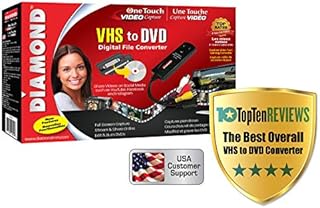
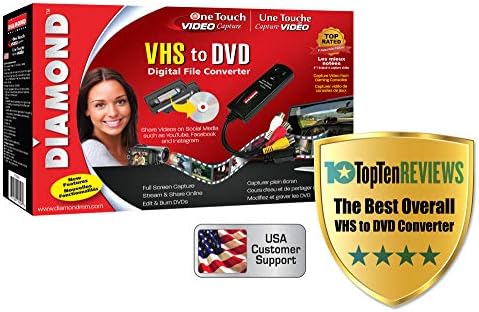
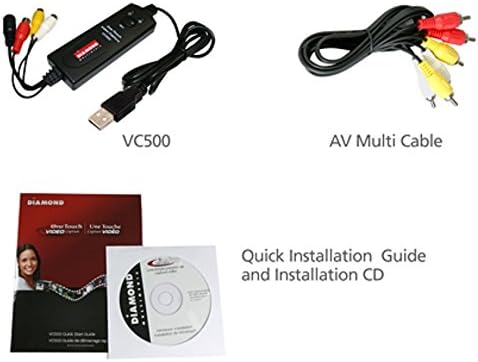
The Diamond One-Touch Video Capture VC500 has become the most versatile and easy-to-use device on the desks of many video capture enthusiasts. It takes all the stress out of converting video from almost any source and converting and preserving them into digital files. With the Cyberlink Power Director software and all the included accessories, you are ready to start capturing, editing and preserving video and audio from almost any analogue video device. Right out of the box, the One-Touch Video Capture is ready to capture video. Burn full-screen video capture, edit and create DVD and VCDs. Upload your finished videos to YouTube and other popular video sites or just share them with friends and family.
Preserve and Convert VHS Video Cassettes
Before the age of smartphones, tablets, social media and even digital cameras, there was the VHS cassette. It was the only way to record and store all of our videos. Some of your most cherished moments in life are on VHS format – TV shows, music videos from the 80s, weddings and your kids’ birthdays. Why throw them out? There must be an easy way to preserve them. ..right? The VC500 Video Capture easily collects data from your original source, in this case a VHS player, and displays it beautifully on your PC or laptop. At the same time it is recording and saving it for editing later.
Capture Video Instantly and Easily
With the included CyberLink Power Director software, you can enjoy having the VC500’s powerful application right there on your laptop. Seamlessly go through an entire library of archived recordings of vacation videos, family home movies and sporting events. Personalise your YouTube videos by adding text transition effects and story boards. The VC500 works with any video source including DVD players, set top boxes,camcorders and game consoles. Create wonderful tutorials and how-to videos and convert them into digital files instantly.
Edit, Save and Burn to DVD
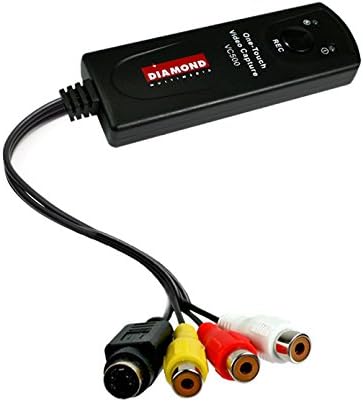
The VC500 comes with RCA and S-Video inputs and also uses a USB 2.0 interface. Any device with a composite output such as a VHS player can be used to transfer video and audio to your PC.
You can also capture, and edit video straight from a camcorder and convert them to DVD.
Create DVDs to add to your collection of movies and favourite TV shows. The VC500’s compatibility includes: NTSC, PAL, MPEG 4/2/1, JPG and BMP formats and is fully functional on PCs operating on Windows 10. See for yourself why the award-winning, Diamond One-Touch Video Capture VC500 has become THE favourite video capture device for video enthusiasts from around the world.
Product information
- Brand:Diamond
- Hardware interface:USB 3.0, USB 2.0
- Operating System:Microsoft Windows XP SP2, Microsoft Windows Vista, Microsoft Windows XP Media Center Edition, Microsoft Windows 10
- Platform:Windows
- Item weight:0.45 Pounds
- Product Dimensions:10.16 x 2.54 x 2.54 cm; 204.12 Grams
- Item model number:VC500
- Manufacturer:Diamond
- Color:One Color
- Are Batteries Included:No
- Item Weight:204 g
Related products to Diamond VC500 USB 2.0 One Touch VHS to DVD Video Capture Device with for Win7, Win8 & Win10:


Explore other categories
Other products from Video Converters: