


SOUTHSKY 5.1CH Digital Sound Surround Decoder,2 Optical SPDIF,Coaxial,3.5mm Jack to 5.1 Analog Audio Converter,6RCA Output,Support Dolby AC3,DTS,Compatible with DVD,PS2,PS4,Xbox,HDTV,Amplifier by Amazon.co.uk
Compare SOUTHSKY 5.1CH Digital Sound Surround Decoder,2 Optical SPDIF,Coaxial,3.5mm Jack to 5.1 Analog Audio Converter,6RCA Output,Support Dolby AC3,DTS,Compatible with DVD,PS2,PS4,Xbox,HDTV,Amplifier with other products:


Description
Input Ports: 2x Optical (Toslink,SPDIF),1x Coaxial,1x3.5mm Aux
Output Ports: 6 RCA channels
Sampling Rate:192KHz / 24 Bit's top level
Audio Support: HDCD,AC3,DTS,PCM,Dolby digital,Dolby Prologic II and others
Metal Case:Black,Aluminum alloy shell,anti-fingerprints
Package List
1x5.1 CH DAC Decoder
1xOptical Fiber Cable(1.2m)
1xUK Power Adapter(DC 5V)
1xUser Manual
Key Functions
Convert Digital signals (Optical ,Toslink,SPDIF,Coaxial) to 5.1 CH channels analog sound surround
Convert Digital signals(Optical ,Toslink,SPDIF,Coaxial) to 2.1 channel analog sound (FL+FR+SW)
Convert stereo analog(3.5mm Aux) to 5.1CH simulations
NOTE: CAN'T SUPPORT 7.1CH (DOLBY PLUS)
Key Features
1 key switch 2.1 and 5.1
1 key switch input signals(SPDIF,Coaxial,3.5 Aux)
LED indicators of inputting channels
Automaticly recovery the input signal after restart, no need to choose the input signal again
High Compliances:
It's easy to connect many entertainment devices with digital optical and coaxial ports or 3.5mm analog port.
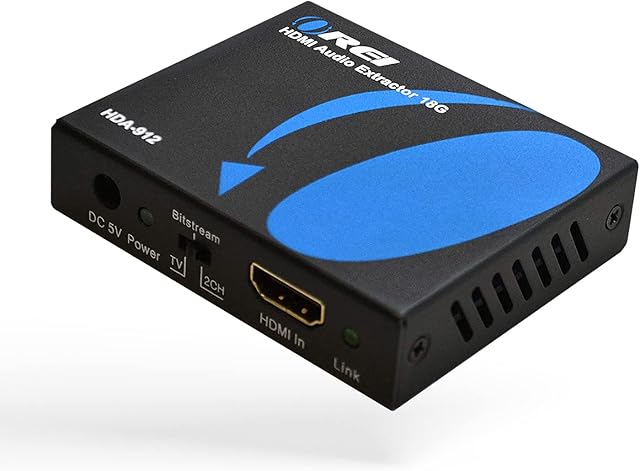
It is also support the device such as HDMI Audio Extractor or HDMI ARC converters which output Coaxial or SPDIF(Toslink,Optical) signals;
Input Devices:HDTV,Set-top Boxes, HD Players, DVD, Blu-ray Player, Playstations like Xbox,PS2, PS3, PS4,PS5(HDMI Audio Extractor with SPDIF port)
Output Devices: AV receivers or amplifiers, and Active 5.1CH Speakers with built-in amplifier,
Reference AV Amplifier and Cable Types
Perfect for Building Your Home Cinema or Game House
Important Notes for 5.1CH Decoding Configuration Setting:
1. Dolby or DTS are digital signals, so please use SPDIF or Coaxial input port of this product, NOT 3.5mm input port;
2. Please make sure your audio source has Dolby or DTS format(There must be a Dolby or DTS logo on your audio source).
3. Please make sure your audio devices support RAW(Dolby/DTS or Bitstream) output from the HDMI,SPDIF or Coaxial port of your audio device.eg,when watching DVD movies with Dolby or DTS format,the DVD must also support RAW output of Dolby or DTS format.
4. Set your audio output by \u201cSPDIF/digital\u201d,\u201cRAW\u201d,\u201cBitstream\u201d or "Dolby /DTS",different device, different definition.please double check with your audio device supplier.
5. If using network player(NOT Video website or APP), please set audio output by \u201cSPDIF/digital\u201d,\u201cRAW\u201d or \u201cbitstream\u201d.eg,potplayer,VLC player.
6. The quality of DISC, RCA cables will also impact quality of sound;
7. Remember set the sound output to external speakers,such as HDTV, set the audio output to external speakers in settings of TV,or else no sound.
8. In Dolby/5.1CH(6 channels) REAL SOUND SURROUND status, all 6 channels are separate channels and different sound effects of each speaker.For example,Some speakers are " people talking", some speakers are just some "movie background sound",different movies,different signals or definition,and it doesn't mean that the CONVERTER is "not working" or "No Sound".Amplifier is required, or else,in 5.1CH, SOUND IS VERY TINY.(THE CONVERTER IS ONLY FOR 5.1CH DECODER,NOT AMPLIFIER,NOT 7.1CH)
Product information
- Brand:SOUTHSKY
- Minimum supply voltage:5 Volts
- Interface type:Coaxial
- Number of channels:6
- Product Dimensions:15 x 12 x 4 cm; 280 Grams
- Item model number:AY42
- Manufacturer:SOUTHSKY
- Color:Black
- Voltage:5 Volts
- Are Batteries Included:No
- Item Weight:280 g
Related products to SOUTHSKY 5.1CH Digital Sound Surround Decoder,2 Optical SPDIF,Coaxial,3.5mm Jack to 5.1 Analog Audio Converter,6RCA Output,Support Dolby AC3,DTS,Compatible with DVD,PS2,PS4,Xbox,HDTV,Amplifier:


Explore other categories
Other products from Adapters:


