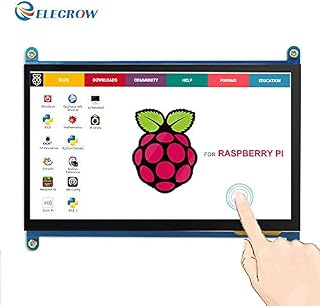
ELECROW For Raspberry Pi, 7 Inch Raspberry Pi Touchscreen Monitor 1024X600 HDMI IPS Display Screen Compatible with Raspberry Pi 4, Raspberry Pi 3, Laptop and Other Devices that Out Put HDMI Signals by Amazon.co.uk
- • 1.【Mini Screen for Raspberry Pi】7 inch mini monitor, support 1024*600 resolution, IPS screen help keep colors consistent at a wide viewing angle.
- • 2.【Capacitive USB Touch Screen】Simply connect the screen to device via HDMI interface and power the USB touch port to achieve touch function and no need to install any driver, just plug and play! When used as a computer monitor, supports Win10/8/7, 5-point touch. When worked with Raspberry Pi, supports Raspbian, Ubuntu, and single touch.
- • 3.【Multi-function Portable Monitor】Broadly you can use it with as a Raspberry Pi 4/3/2 screen, small monitor for Win PC, mini gaming monitor, etc.
- • 4.【Package Included】 7 inch HDMI monitor x1, CD x1, HDMI to micro HDMI adapter x1, HDMI to HDMI cable, micro USB to USB A cable x1, Copper screws pack (4pcs) x1.
- • 5.All the screens are tested before delivery, if there is any problem in the process of installing the driver and downloading program, please feel free to contact us by email.
Compare ELECROW For Raspberry Pi, 7 Inch Raspberry Pi Touchscreen Monitor 1024X600 HDMI IPS Display Screen Compatible with Raspberry Pi 4, Raspberry Pi 3, Laptop and Other Devices that Out Put HDMI Signals with other products:



Description
Broadly you can apply it to mini PCs (Raspberry Pi/BB Black/Banana Pi), desktop PC and game consoles.
Product Parameters
Size: 7.0 (inch)
Resolution: 1024 \xd7 600 (dots)
Screen Panel: IPS
Touch: five-point capacitive touch maximun
Dimensions: 164.9 * 124.27 (mm)
Weight: 380 (g)
Notice:
When you use this monitor with a Raspberry Pi 4, if you use the Raspberry Pi system image after 2021-10-30, such as Bullseye, dtoverlay = vc4-kms-v3d have to be modified to dtoverlay = vc4-fkms-v3d, otherwise, it will fail to start.
If using Buster, please comment out by adding # in the front of "dtoverlay=vc4-fkms-V3D" or delete this line directly in the config.txt file.
When connecting to the Raspberry Pi 4 please power the screen using external power, and then unplug the external power after starting the Pi 4 to insure the touch function works properly.
Widely Compatibility
Supports Raspberry Pi, comes with Raspbian driver and Ubuntu image.
Not only for mini-PCs, it can work as a computer monitor just like any other general HDMI screen.
Please connect to HDMI 0 port of the screen when worked with Raspberry Pi 4.
HDMI IPS Monitor
This drive free USB monitor designed HDMI for signal and data transmission, powered via USB.
Notice:
Please use a 5V/3A power adapter for Raspberry Pi 4 and a 5V/3A or 5V/2A power adapter for the screen.
Please connecting the monitor to an external power supply when turn on the Raspberry pi 4.
The reason is that Raspberry Pi 4 requires a higher starting voltage when turning it on.
After turning on the machine, if you want to use the touch function, please unplug an external power supply of the screen.
Only by directly supplying power to the screen through the USB of the Raspberry Pi 4 can you normally using the touch function.
Capacitive Touch
No program or software support required, plug and play.
Supporting single touch Raspberry Pi system.
Supporting 5 points touch for Win7/8/10.
7-inch Portable Monitor
The 7-inch size and weight of only 380G allow you to carry this screen wherever you want.
Please peel off the protective sticker on the LCD screen before use.
7-inch Capacitive Touch Screen Monitor
This high resolution mini HDMI monitor is a best choice for Raspberry Pi hobbyist !
The capacitive Touch screen can work with any device that output HDMI signal, but the touch function is just for windows and raspberry pi system.
And with 4 holes on the corner, easy to mount it to your DIY IoT projects that you’re working on.
Save your space, keep your desktop neat.
Supports Banana Pi / Banana Pro, comes with ubuntu, Raspbian images
it will offer you an exciting gaming experience with game consoles.
It supports manual backlight control, backlight switch can be turn off to lower power consumption.
No Driver Installation, Plug and Play!
"config" File Setting
For Raspberry System: After burning official system(not only RASPBIAN system, other system like ubuntu, Kali is also same), please keep the TF card connecting your computer and open TF card root, find file named \u201cconfig\u201d Open the \u201cconfig\u201d file and copy the following code in the end of the file, then save.
hdmi_force_hotplug=1
max_usb_current=1
hdmi_group=2
hdmi_mode=1
hdmi_mode=87
hdmi_cvt 1024 600 60 6 0 0 0
hdmi_drive=1
After the setting is completed, the resolution of the screen can reach 1024\xd7600 pixel.
Package List
7 Inch capacitive HDMI Raspberry display x1
HDMI cable x1
USB cable x1
DVDx1
Copper screws pack (4pcs) x1
Micro HDMI adapter x1
Product information
- Brand:ELECROW
- Package Dimensions:21.2 x 14.8 x 5.4 cm; 400 Grams
- Item model number:RPD10246D
- Manufacturer:Elecrow
- Standing screen display size:7 Inches
- Screen Resolution:1024X600
- Resolution:1024X600
- Number of HDMI Ports:1
- Operating System:Windows
- Are Batteries Included:No
- Item Weight:400 g
Related products to ELECROW For Raspberry Pi, 7 Inch Raspberry Pi Touchscreen Monitor 1024X600 HDMI IPS Display Screen Compatible with Raspberry Pi 4, Raspberry Pi 3, Laptop and Other Devices that Out Put HDMI Signals:

Other products from Computers & Accessories: