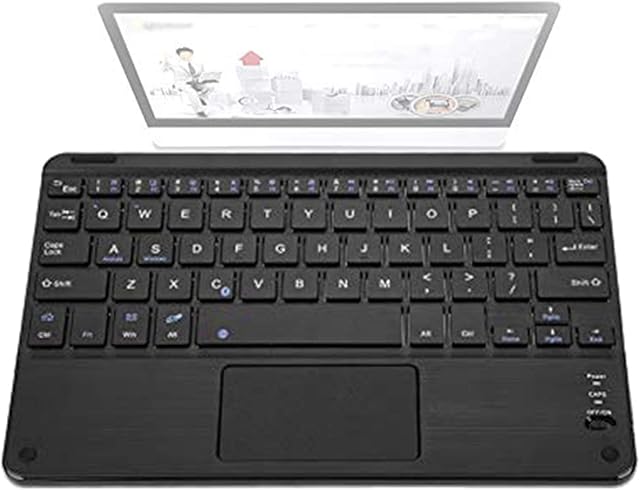
ZJFKSDYX C91MAXPro Gaming Keyboard & Mouse with Headset for N-Switch/Xbox One/PS4/PS3 by Amazon.co.uk
- • 1: Keyboard and mouse for games: Xbox Series X, Xbox One, PS4, PS4 Slim, PS4 Pro, N-Switch, Windows 7/8/10 PC, no converter is required, C91PROMAX combination is suitable for almost all game consoles. , Compatible with Overwatch, Rainbow Six, Apex Legends and many other games. [Note: PS5 game consoles are not currently supported]
- • 2: Support 3.5MM headset: professional gaming headsets are included in the package, which can be directly plugged into the headset jack on the keyboard to enjoy 48K high-definition voice and dialogue.
- • 3: Low latency: The keyboard uses the same C91MAX chip, lower latency, and 1:1 tracking accuracy. When using the mouse, adjust the mouse to the maximum sensitivity to get the same gaming experience on the PC side.
- • 4: Custom buttons: No need to drive, just follow the video and instructions to reset the buttons.
- • 5: RGB keyboard and mouse: RGB mechanical keyboard with blue switch is used, with low latency and good hand feeling. The mouse supports RGB backlight and supports up to 6000DPI. Professional equipment maximizes the gaming experience.
Description
Q: Can I use this adapter to play PUBG, Fortnite, Rainbow Six Siege, Overwatch on PS4?
A: This ZJFKSDYX adapter is not designed for a certain game. As long as your mouse and keyboard compatibility with this adapter is no problem, then you can play all games on Nintendo Switch, PS4 & Xbox One.
Q: Why is the connection on PS4 & Xbox One always unsuccessful?
A: If the connection is unsuccessful on the PS4 or Xbox One, please confirm the following points before trying to reconnect:
⊙ Must use an official PS4 or Xbox One controller to connect, any other third-party controllers are not supported;
⊙ Must keep the controller closed before being connected;
⊙ Must use a data cable (not charging cable) to connect the controller and adapter;
⊙ Must be connected in the correct connection order;
Q: Do I need to download the software to customize the key bindings?
A: This upgraded version allows you to customize the key bindings without downloading the software.
Q: Does this adapter also work with PS4 Pro and Xbox S/ X?
A: Yes, it supports full versions for PS4 and Xbox One, including PS4 Pro, PS4 Slim, Xbox One S, Xbox One X.
Q: Do I have to set the key bindings to use this adapter?
A: This adapter has default key bindings, which you could refer to the related part on this manual. If you need to customize the key bindings, please follow the corresponding steps
Support 2.4G Wireless Connection & Key Bindings
This keyboard and mouse converter not only supports 2.4G wireless mouse and keyboard connection, but also allows you to easily customize key bindings and adjust mouse sensitivity without downloading software.
Connection Method for PS4 & PS3
1. Complete the following steps on PS4 console setting option before connecting: Settings - Devices - Controllers - Communication Method - Use USB Cable;
2. Connect the adapter to PS4/ PS3 console via included USB data cable, the LED will light up in White;
3. Connect the wired or 2.4G wireless mouse to the relevant adapter port, the LED light will be Red;
4. Connect the wired or 2.4G wireless keyboard to the relevant adapter port, the LED light will turn to Green;
5. Use the USB data cable to connect the original PS4/ PS3 controller to the corresponding interface of the adapter. At this time, the LED will be gold.
6. Activate the adapter by clicking the "Home" button on PS4/ PS3 controller.
Note: Make sure the USB cable used for the connection should be charged and synchronized. Cables for charging only are not supported. After the link is complete, the controller cannot be used to link the headset. You will need to purchase an additional USB sound card headset or Bluetooth headset.
Connection Method for Xbox One/ 360
1. Connect the adapter to Xbox One/ 360 console via included USB data cable, the LED will light up in White;
2. Connect the wired or 2.4G wireless mouse to the relevant adapter port, the LED light will be Red;
3. Connect the wired or 2.4G wireless keyboard to the relevant adapter port, the LED light will turn to Green;
4. Use the USB data cable to connect the original Xbox One/ 360 controller to the corresponding interface of the adapter. At this time, the LED will be gold.
5. Activate the adapter by clicking the "Home" button on Xbox One/ 360 controller.
Note: Make sure the USB cable used for the connection should be charged and synchronized. Cables for charging only are not supported. After the link is complete, the controller cannot be used to link the headset. You will need to purchase an additional USB sound card headset or Bluetooth headset.
Connection Method for Nintendo Switch
1. Set the controller to a wired communication on the Nintendo Switch console. The path is as follows: System Settings - Controllers and Sensors - Pro Controller Wired Communication, then set to "On";
2. Connect the adapter to Nintendo Switch console via included USB data cable, the LED will light up in White;
3. Connect the wired or 2.4G wireless mouse to the relevant adapter port, the LED light will be Red\uff1b
4. Connect the wired or 2.4G wireless keyboard to the relevant adapter port, the LED light will turn to Green;
5. Activate the adapter by pressing the \u201cSpace Bar\u201d on the keyboard
Product information
- Brand:ZJFKSDYX
- Product Dimensions:6.4 x 6.1 x 1.9 cm; 800 Grams
- Manufacturer:motospeed
- Color:BLACK
- Hardware Platform:Xbox One
- Are Batteries Included:No
- Item Weight:800 g
Related products to ZJFKSDYX C91MAXPro Gaming Keyboard & Mouse with Headset for N-Switch/Xbox One/PS4/PS3:


Explore other categories
Other products from Keyboards: