
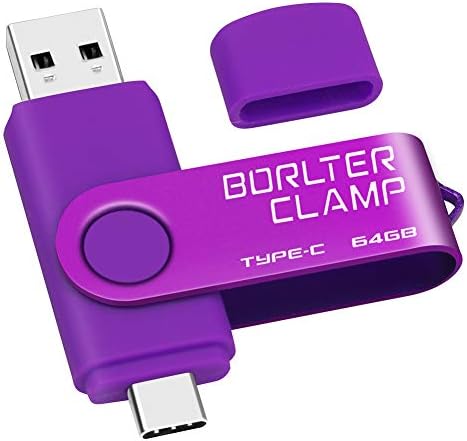
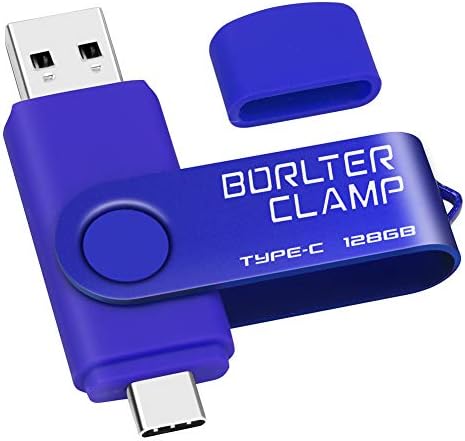
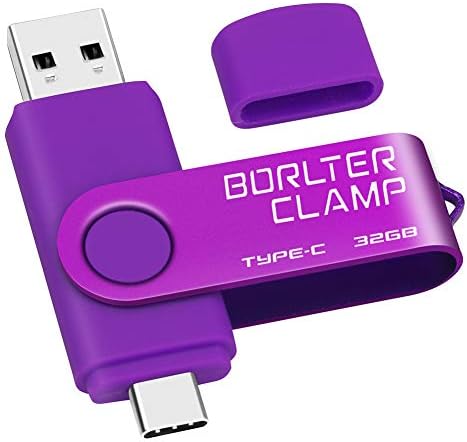


64 GB USB Type-C Flash Drive, USB-C 3.0 Memory Stick Jump Drive 2 in 1 for Android Phones Samsung Galaxy S10/S9/S8/Note 9, LG, Huawei, Tablets & Computer (Purple) by Amazon.co.uk
- • \u2705 Free up your phone's memory and provide additional storage space for your mobile device. With its USB 3.0 port and high-speed high-capacity chip for fast data transfer efficiency, you can easily back up photos and videos from your phone and PC.
- • \u2705 Dual Ports (USB-A and USB-C): The USB-A 3.0 port can be connected to a computer, and the USB Type-C port can be connected to an Android smartphone or tablet. Before purchasing it, please make sure your phone has a USB Type-C port and OTG (USB On-The-Go) function is turned on, and then please remove the phone case to avoid obstructing the stable connection between the ports.
- • \u2705 Plug and play, no need to install any drivers. Compatible with almost all video and audio formats. And works with all Android phones and tablets that use USB Type-C ports and support OTG. Please note that it is not for iPhone.
- • \u2705 This 2-in-1 memory stick provides sufficient external data storage capacity for your phone, camera or tablet, so you never have to worry about running out of memory on your mobile devices.
- • \u2705 With the BorlterClamp USB flash drive, you can enjoy photos, music and videos anytime, anywhere. With such a compact usb stick you can transfer data between your computer and mobile phone at high speed, as well as backup files at any time.
Compare 64 GB USB Type-C Flash Drive, USB-C 3.0 Memory Stick Jump Drive 2 in 1 for Android Phones Samsung Galaxy S10/S9/S8/Note 9, LG, Huawei, Tablets & Computer (Purple) with other products:


Description
usb flash drive, enjoy photos, music and videos anytime, anywhere. Transfer and share data quickly. Are you still worried about the lack of memory on your mobile phone? You need to prepare a flash memory pen drive that provides additional storage for your mobile device.
Plug and Play
No need to install any drivers.
Compatible with almost all video and audio formats.
Dual connection port: The USB-A
port can be connected to a computer, and the USB Type-C
port can be connected to an Android smartphone or tablet. (Please make sure your phone uses USB Type-C
port)
Download a movie and enjoy it during a long trip. In the absence of WIFI or the Internet. You can use this USB flash drive to enjoy movies on your phone or tablet.
Please remove the phone case before using the flash drive to avoid affecting the insertion of the flash drive into the phone port.
Important tips: If you use it for mobile phones, please make sure that your phone or tablet uses the USB Type-C
connection port before purchasing, and confirm whether you need to turn on the OTG data transmission function in the phone settings. (many smartphone settings enable this function by default)
Small, lightweight and portable. Dual-port connection, USB-C and USB-A 3.0 connector can easily and quickly transfer data content (picture, music, video, etc.) between OTG-enabled Android smartphones, tablets and computers.
Shoot and record all the good things without worrying about the lack of memory on your phone.
Tips on flash drive capacity:
The manufacturer of the USB flash drive uses a decimal algorithm to represent the storage capacity of the USB flash drive, which is 1 GB = 1000 MB. But in the computer world, data storage is expressed in binary, which is 1GB = 1024MB.
Different algorithms lead to different representations:
32GB is about 28GB-30GB;
64GB is about 58GB-60GB;
128GB is about 115GB-123GB;
256GB is about 230GB-240GB;
512GB is about 460GB-480GB.
How to Connect to Mobile Phone?
1. After you plug the flash drive into your phone, please check if the USB connection symbol has appeared at the top of the phone screen, and the prompt "USB storage is connected
" will be displayed in the notification bar. Go to "My Files
" to select the pictures, audios or videos, you will see your files here.
2. In "My Files
", you can view the files in the phone and the files in the external USB storage device (if connected). Select the files you want to transfer from the photos, videos and other files in the phone (touch the file with your finger for about 2 seconds to pop up the copy button); and then click the "Copy
" or "Move
" button at the top or bottom of the phone interface to transfer them to the USB storage device (you can create folders in USB storage to classify these files). Thus releasing your phone's memory without having to delete files. Similarly, you can also transfer the files in the USB storage device to another mobile phone. Through this step, you can transfer files between your phone and an external USB storage device.
3. After the process of copying or moving files is finished, please click the "Settings
" button above the "USB drive
" in the notification panel to safely eject
or unmount
the USB flash drive.
Capacity
32/64/128/256/512 GB
32/64/128/256 GB
16 GB
32/64 GB
Cover
✓
✓
✓
USB 2.0
✓
✓
USB 3.0
✓
✓
Micro-USB Port
✓
USB Type-C Port
✓
Color
Red / Black / Gold / Silver
Blue / Black / Green / Purple / Red
Multicolored
Retro metallic
Feature
2-in-1 OTG function (On-The-Go)
2-in-1 OTG function (On-The-Go)
Standard
Standard
Compatible Device
Computer / Smartphone (with USB Type-C port) / Tablet
Computer / Smartphone (with Micro-USB port) / Tablet
Computer
Computer
Product information
- Brand:BORLTER CLAMP
- Memory storage capacity:64 GB
- Hardware interface:USB 3.0
- Read speed:110 Megabytes Per Second
- Colour:Purple
Related products to 64 GB USB Type-C Flash Drive, USB-C 3.0 Memory Stick Jump Drive 2 in 1 for Android Phones Samsung Galaxy S10/S9/S8/Note 9, LG, Huawei, Tablets & Computer (Purple):


Explore other categories
Other products from USB Flash Drives:


