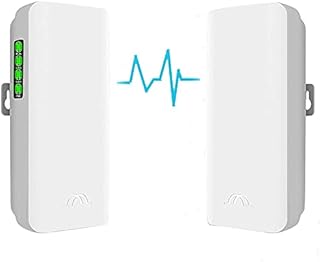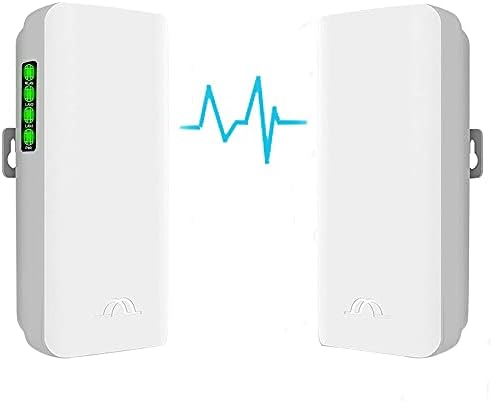



Wireless Bridge,5.8GHz Outdoor Point to Point Access PTP/PTMP Plug & Play CPE Network 300Mbps 2KM Long Range WiFi Wireless Bridge with 12DBI High Gain Antenna,UK POE Power Adapter,2pcs Ethernet Cables by Amazon.co.uk
Compare Wireless Bridge,5.8GHz Outdoor Point to Point Access PTP/PTMP Plug & Play CPE Network 300Mbps 2KM Long Range WiFi Wireless Bridge with 12DBI High Gain Antenna,UK POE Power Adapter,2pcs Ethernet Cables with other products:



Description
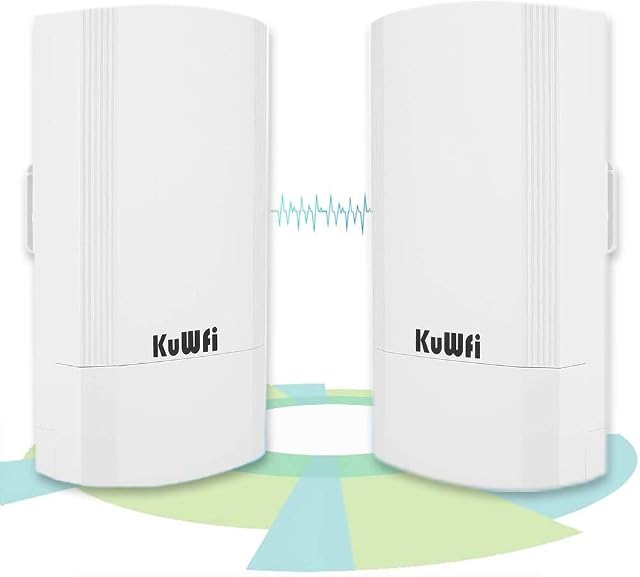
With this 5.8G wireless bridge, you can extend your home internet network to a long distance, which means you can share your WiFi to your Barn Garage and warehouse. Enterprises can use this bridge to share the network from different offices, workshops, warehouses, ect.
CPE220 Kits Function:
A.
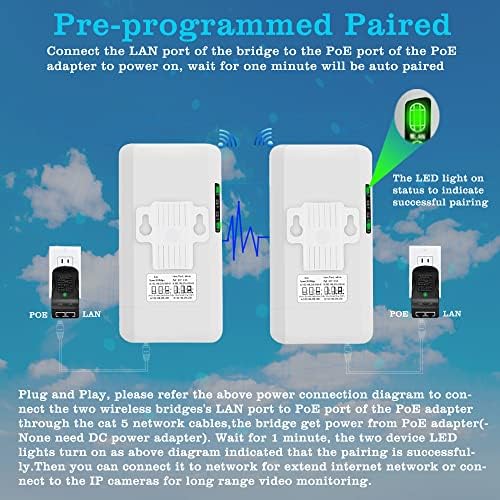
the device can works as Auto pairing mode: simply to use, connect both bridges to the PoE power adapter to start working, it will auto pair in few minutes. Customize mode: need connect the bridges to the computer through ethernet cable, and configure the master & slave parameters, this mode suit for experienced technician.
B.
the device can use for share internet networks to a long distance, output WiFi hot point, also can use for transmit the long ranges IP cameras' video stream to the control center without complicated wiring connection.
C.
Auto pairing mode works for point-to-point access connection, customize mode can configure the point to multiple point connection.
CPE220 Kits Application:
1. Share internet networks to a longer distance, the master bridge gets internet and transfer to slave which can connect to router or computer
2. Outdoor access point, the master bridge connects to internet source and output WiFi hot point transmit up to 1.8miles & 60 degrees angle, you can get access the WiFi hot point in this area.
3. Connect the IP cameras from another building without wire connection, you can management the different place IP cameras in one DVR system.
4. Point to multiple point access, you can connect multiple slave bridges, to management more than one building's IP cameras in one DVR system.
Point-to-Point Extend WiFi Internet Access
Connection Guide
The master bridge and slave bridge must be installed by face to face, the antenna is not omnidirectional, it has a 60 degrees transmission angle, the straight installation without blocking objects would be the best performance.
Wireless Bridge Master & Slave Set:
1.Master Bridge Setting
Move the mode switch to "A" position, the device works as master bridge
2.Slave Bridge Setting
Move the mode switch to "B" position, the device works as slave bridge
Wireless Bridge Connection
1.Bridge A Connection - Master Bridge
Step 1: the LAN port of the PoE Adapter connect to the router through an ethernet cable.
Step 2: the PoE port of the PoE adapter connect to LAN port of the master wireless bridge by another ethernet cable.
2.Bridge B Connection - Slave Bridge
Step 1: the PoE port of the PoE adapter connect to the LAN port of slave bridge through an ethernet cable
Step 2: the LAN port of the PoE adapter connect to the LAN port of the computer or router by another ethernet cable
Point to Point Video Surveillance
Connection Guide
The master bridge and slave bridge must be installed by face to face, the antenna is not omnidirectional, it has a 60 degrees transmission angle, the straight installation without blocking objects would be the best performance.
Wireless Bridge Master & Slave Set:
1.Master Bridge Setting
Move the mode switch to "A" position, the device works as master bridge
2.Slave Bridge Setting
Move the mode switch to "B" position, the device works as slave bridge
Wireless Bridge Connection
1.Bridge A Connection - Master Bridge
Step 1: the LAN port of the PoE Adapter connect to the DVR through an ethernet cable.
Step 2: the PoE port of the PoE adapter connect to LAN port of the master wireless bridge by another ethernet cable.
2.Bridge B Connection - Slave Bridge
Step 1: the PoE port of the PoE adapter connect to the LAN port of slave bridge through an ethernet cable
Step 2: the LAN port of the PoE adapter connect to the LAN port of the switch by another ethernet cable
Point-to-Multiple Point Connection for Video Surveillance
Connection Guide
The master bridge and slave bridge must be installed by face to face, the antenna is not omnidirectional, it has a 60 degrees transmission angle, the straight installation without blocking objects would be the best performance.
Wireless Bridge Master & Slave Set:
1.Master Bridge Setting
Move the mode switch to "A" position, the device works as master bridge
2.Slave Bridge Setting
Move the mode switch to "B" position, the device works as slave bridge
Wireless Bridge Connection
1.Bridge A Connection - Master Bridge
Step 1: the LAN port of the PoE Adapter connect to the DVR through an ethernet cable.
Step 2: the PoE port of the PoE adapter connect to LAN port of the master bridge by another ethernet cable.
2.Bridge B Connection - Slave Bridge
Step 1: the PoE port of the PoE adapter connect to the LAN port of slave bridge through an ethernet cable
Step 2: the LAN port of the PoE adapter connect to the LAN port of the IP cameras by another ethernet cable
CPE220 Wireless Bridge Interface
Overview
The wireless bridges work by two modes, auto pairing mode with pre-programmed suit for newbie and customize mode suit for experienced user.
Auto pairing mode:
Connect the bridges to the PoE power adapter, the Power LED lamp turns green, system is power on, when both bridges are power on, they will auto pair in a few minutes, during the pairing the LAN status LED lamps all turn green. The digital LED indicator displays the numeric in red color.
You can find a good frequency without interference by pressing the "RST" button to change the channel, short press the button, the LED indicator will display the numeric "0","1","2","3"..."F" one by one, and change in cycle, each numeric means a different frequency, you can find the details in the user manual.
At the auto pairing mode, the bridge also output WiFi hot point, and the access password is pre-programmed in auto paring mode. When the channel changes, the access password changes as well. For example: the WiFi hot point name is CPE5G_5G161, and the default password is zllinkcpe123456161, if the name is CPE5G_5G153, the password will be zllinkcpe123456153. The last three numbers of the password must match the last three numbers of the name.
Customize mode:
At this mode the bridged must be connected to the computer and set different IP addresses and working modes, short press the "RST" button will not functional at this mode, but you can press and hold this button for over 10 seconds to reset to factory setting.
Application
The 5.8Ghz wireless bridge is powerful network transmitter & receiver for internet share and video surveillance, you can mount it over two building even more, cross the river,railway,highway,lake without wire connection, one pair of outdoor high power and high performance 300Mbps wireless bridges, which works at 5GHz frequency. Supports Point-to-Point and Point-to-Multipoint wireless connection. It is more stable and higher speed and anti-interference performance than 2.4GHz wireless bridge. Moreover, it is easy to manage through the WEB interface.
Parameters
Model:
CPE220
Network Interface:
10/100Mbps 2 * LAN Port
Data Rate:
11a: 54M, 48M, 36M, 24M, 18M, 12M, 9M, 6Mbps / 11n: 7.2M, 14.4M, 21.7M, 28.9M, 43.3M, 57.8M, 65M, 72.2M, 14.4M, 28.9M, 43.3M, 57.8M, 86.7M, 115.6M, 130M, 144.4Mbps
Power Supply:
POE 24V 1.0A
Antenna:
12DBi (5725\uff5e5875MHz)
Transmission Range:
2KM
Waterproof:
IP65
Dust-proof:
Support
Working temperature:
-20\xb0C\uff5e 70\xb0C
Dimensions:
170mm * 90mm * 60mm
Weight:
0.7kg
Product information
- Brand:eoqo
- Wireless Type:802.11ac
- Data transfer rate:300 Megabits Per Second
- Frequency:5.8 GHz
- Item weight:0.7 Kilograms
- Product Dimensions:17.5 x 9.5 x 6 cm; 700 Grams
- Item model number:cpe206
- Manufacturer:eoqo
- Are Batteries Included:No
- Item Weight:700 g
Related products to Wireless Bridge,5.8GHz Outdoor Point to Point Access PTP/PTMP Plug & Play CPE Network 300Mbps 2KM Long Range WiFi Wireless Bridge with 12DBI High Gain Antenna,UK POE Power Adapter,2pcs Ethernet Cables:



Explore other categories
Other products from Wireless Access Points: