![LINKUP - Ultra PCIe 4.0 X16 Riser Cable [RTX4090 RX6950XT x570 B550 Z690 Tested] Shielded Extreme High-Speed Vertical Mount Gaming PCI Express Gen4Straight Socket (20cm) Gen 3.0 TT CompatibleWhite](https://m.media-amazon.com/images/I/31i94FV8rYL._AC_SL1080_.jpg)
![LINKUP - Ultra PCIe 4.0 X16 Riser Cable [RTX4090 RX6950XT x570 B550 Z690 Tested] Shielded Extreme High-Speed Vertical Mount Gaming PCI Express Gen4Straight Socket (20cm) Gen 3.0 TT CompatibleWhite](https://m.media-amazon.com/images/I/31HYdwCSL3S._AC_SL1080_.jpg)
![LINKUP - Ultra PCIe 4.0 X16 Riser Cable [RTX4090 RX6950XT x570 B550 Z690 Tested] Shielded Extreme High-Speed Vertical Mount Gaming PCI Express Gen4Straight Socket (20cm) Gen 3.0 TT CompatibleWhite](https://m.media-amazon.com/images/I/31s6omzopLS._AC_SL1080_.jpg)
![LINKUP - Ultra PCIe 4.0 X16 Riser Cable [RTX4090 RX6950XT x570 B550 Z690 Tested] Shielded Extreme High-Speed Vertical Mount Gaming PCI Express Gen4Straight Socket (20cm) Gen 3.0 TT CompatibleWhite](https://m.media-amazon.com/images/I/41ZXYWoNZhL._AC_SL1080_.jpg)
![LINKUP - Ultra PCIe 4.0 X16 Riser Cable [RTX4090 RX6950XT x570 B550 Z690 Tested] Shielded Extreme High-Speed Vertical Mount Gaming PCI Express Gen4Straight Socket (20cm) Gen 3.0 TT CompatibleWhite](https://m.media-amazon.com/images/I/313TTQGRaSL._AC_SL1080_.jpg)
![LINKUP - Ultra PCIe 4.0 X16 Riser Cable [RTX4090 RX6950XT x570 B550 Z690 Tested] Shielded Extreme High-Speed Vertical Mount Gaming PCI Express Gen4Straight Socket (20cm) Gen 3.0 TT CompatibleWhite](https://m.media-amazon.com/images/I/31zdlkhe8GL._AC_SL1080_.jpg)
![LINKUP - Ultra PCIe 4.0 X16 Riser Cable [RTX4090 RX6950XT x570 B550 Z690 Tested] Shielded Extreme High-Speed Vertical Mount Gaming PCI Express Gen4Straight Socket (20cm) Gen 3.0 TT CompatibleWhite](https://m.media-amazon.com/images/I/31xRPvMcVjL._AC_SL1080_.jpg)
![LINKUP - Ultra PCIe 4.0 X16 Riser Cable [RTX4090 RX6950XT x570 B550 Z690 Tested] Shielded Extreme High-Speed Vertical Mount Gaming PCI Express Gen4Straight Socket (20cm) Gen 3.0 TT CompatibleWhite](https://m.media-amazon.com/images/I/31RDHcw6MqS._AC_SL1080_.jpg)
![LINKUP - Ultra PCIe 4.0 X16 Riser Cable [RTX4090 RX6950XT x570 B550 Z690 Tested] Shielded Extreme High-Speed Vertical Mount Gaming PCI Express Gen4Straight Socket (20cm) Gen 3.0 TT CompatibleWhite](https://m.media-amazon.com/images/I/31OYW2Of-DL._AC_SL1080_.jpg)
![LINKUP - Ultra PCIe 4.0 X16 Riser Cable [RTX4090 RX6950XT x570 B550 Z690 Tested] Shielded Extreme High-Speed Vertical Mount Gaming PCI Express Gen4Straight Socket (20cm) Gen 3.0 TT CompatibleWhite](https://m.media-amazon.com/images/I/31oIwEGqQaL._AC_SL1080_.jpg)
![LINKUP - Ultra PCIe 4.0 X16 Riser Cable [RTX4090 RX6950XT x570 B550 Z690 Tested] Shielded Extreme High-Speed Vertical Mount Gaming PCI Express Gen4Straight Socket (20cm) Gen 3.0 TT CompatibleWhite](https://m.media-amazon.com/images/I/31bZLlAYTcL._AC_SL1080_.jpg)
![LINKUP - Ultra PCIe 4.0 X16 Riser Cable [RTX4090 RX6950XT x570 B550 Z690 Tested] Shielded Extreme High-Speed Vertical Mount Gaming PCI Express Gen4Straight Socket (20cm) Gen 3.0 TT CompatibleWhite](https://m.media-amazon.com/images/I/413+klpi3rL._AC_SL1080_.jpg)
![LINKUP - Ultra PCIe 4.0 X16 Riser Cable [RTX4090 RX6950XT x570 B550 Z690 Tested] Shielded Extreme High-Speed Vertical Mount Gaming PCI Express Gen4Straight Socket (20cm) Gen 3.0 TT CompatibleWhite](https://m.media-amazon.com/images/I/31C4G-PNicL._AC_SL1080_.jpg)
![LINKUP - Ultra PCIe 4.0 X16 Riser Cable [RTX4090 RX6950XT x570 B550 Z690 Tested] Shielded Extreme High-Speed Vertical Mount Gaming PCI Express Gen4Straight Socket (20cm) Gen 3.0 TT CompatibleWhite](https://m.media-amazon.com/images/I/31ul2OMJGmL._AC_SL1080_.jpg)
![LINKUP - Ultra PCIe 4.0 X16 Riser Cable [RTX4090 RX6950XT x570 B550 Z690 Tested] Shielded Extreme High-Speed Vertical Mount Gaming PCI Express Gen4Straight Socket (20cm) Gen 3.0 TT CompatibleWhite](https://m.media-amazon.com/images/I/31Tyh9+2j-L._AC_SL1080_.jpg)
![LINKUP - Ultra PCIe 4.0 X16 Riser Cable [RTX4090 RX6950XT x570 B550 Z690 Tested] Shielded Extreme High-Speed Vertical Mount Gaming PCI Express Gen4Straight Socket (20cm) Gen 3.0 TT CompatibleWhite](https://m.media-amazon.com/images/I/31EwlSe-6GL._AC_SL1080_.jpg)
![LINKUP - Ultra PCIe 4.0 X16 Riser Cable [RTX4090 RX6950XT x570 B550 Z690 Tested] Shielded Extreme High-Speed Vertical Mount Gaming PCI Express Gen4Straight Socket (20cm) Gen 3.0 TT CompatibleWhite](https://m.media-amazon.com/images/I/31h2PyQaz1L._AC_SL1080_.jpg)
![LINKUP - Ultra PCIe 4.0 X16 Riser Cable [RTX4090 RX6950XT x570 B550 Z690 Tested] Shielded Extreme High-Speed Vertical Mount Gaming PCI Express Gen4Straight Socket (20cm) Gen 3.0 TT CompatibleWhite](https://m.media-amazon.com/images/I/31qsnTo-MSL._AC_SL1080_.jpg)
![LINKUP - Ultra PCIe 4.0 X16 Riser Cable [RTX4090 RX6950XT x570 B550 Z690 Tested] Shielded Extreme High-Speed Vertical Mount Gaming PCI Express Gen4Straight Socket (20cm) Gen 3.0 TT CompatibleWhite](https://m.media-amazon.com/images/I/3188DThTz9L._AC_SL1080_.jpg)
![LINKUP - Ultra PCIe 4.0 X16 Riser Cable [RTX4090 RX6950XT x570 B550 Z690 Tested] Shielded Extreme High-Speed Vertical Mount Gaming PCI Express Gen4Straight Socket (20cm) Gen 3.0 TT CompatibleWhite](https://m.media-amazon.com/images/I/41JKYb0XHPL._AC_SL1080_.jpg)
![LINKUP - Ultra PCIe 4.0 X16 Riser Cable [RTX4090 RX6950XT x570 B550 Z690 Tested] Shielded Extreme High-Speed Vertical Mount Gaming PCI Express Gen4Straight Socket (20cm) Gen 3.0 TT CompatibleWhite](https://m.media-amazon.com/images/I/31rgMGzVqOL._AC_SL1080_.jpg)
![LINKUP - Ultra PCIe 4.0 X16 Riser Cable [RTX4090 RX6950XT x570 B550 Z690 Tested] Shielded Extreme High-Speed Vertical Mount Gaming PCI Express Gen4Straight Socket (20cm) Gen 3.0 TT CompatibleWhite](https://m.media-amazon.com/images/I/31GAwbAk4hL._AC_SL1080_.jpg)
![LINKUP - Ultra PCIe 4.0 X16 Riser Cable [RTX4090 RX6950XT x570 B550 Z690 Tested] Shielded Extreme High-Speed Vertical Mount Gaming PCI Express Gen4Straight Socket (20cm) Gen 3.0 TT CompatibleWhite](https://m.media-amazon.com/images/I/415qvvO-QLS._AC_SL1080_.jpg)
![LINKUP - Ultra PCIe 4.0 X16 Riser Cable [RTX4090 RX6950XT x570 B550 Z690 Tested] Shielded Extreme High-Speed Vertical Mount Gaming PCI Express Gen4Straight Socket (20cm) Gen 3.0 TT CompatibleWhite](https://m.media-amazon.com/images/I/31JbdcRx6xL._AC_SL1080_.jpg)
![LINKUP - Ultra PCIe 4.0 X16 Riser Cable [RTX4090 RX6950XT x570 B550 Z690 Tested] Shielded Extreme High-Speed Vertical Mount Gaming PCI Express Gen4Straight Socket (20cm) Gen 3.0 TT CompatibleWhite](https://m.media-amazon.com/images/I/31I7VoBLCcL._AC_SL1080_.jpg)
![LINKUP - Ultra PCIe 4.0 X16 Riser Cable [RTX4090 RX6950XT x570 B550 Z690 Tested] Shielded Extreme High-Speed Vertical Mount Gaming PCI Express Gen4Straight Socket (20cm) Gen 3.0 TT CompatibleWhite](https://m.media-amazon.com/images/I/31vtju6qnbL._AC_SL1080_.jpg)
![LINKUP - Ultra PCIe 4.0 X16 Riser Cable [RTX4090 RX6950XT x570 B550 Z690 Tested] Shielded Extreme High-Speed Vertical Mount Gaming PCI Express Gen4Straight Socket (20cm) Gen 3.0 TT CompatibleWhite](https://m.media-amazon.com/images/I/31I2X7dkIpL._AC_SL1080_.jpg)
![LINKUP - Ultra PCIe 4.0 X16 Riser Cable [RTX4090 RX6950XT x570 B550 Z690 Tested] Shielded Extreme High-Speed Vertical Mount Gaming PCI Express Gen4Straight Socket (20cm) Gen 3.0 TT CompatibleWhite](https://m.media-amazon.com/images/I/31MGJqU0DUL._AC_SL1080_.jpg)
![LINKUP - Ultra PCIe 4.0 X16 Riser Cable [RTX4090 RX6950XT x570 B550 Z690 Tested] Shielded Extreme High-Speed Vertical Mount Gaming PCI Express Gen4Straight Socket (20cm) Gen 3.0 TT CompatibleWhite](https://m.media-amazon.com/images/I/31fBxo8plKL._AC_SL1080_.jpg)
![LINKUP - Ultra PCIe 4.0 X16 Riser Cable [RTX4090 RX6950XT x570 B550 Z690 Tested] Shielded Extreme High-Speed Vertical Mount Gaming PCI Express Gen4Straight Socket (20cm) Gen 3.0 TT CompatibleWhite](https://m.media-amazon.com/images/I/31gdeeDu4eL._AC_SL1080_.jpg)
![LINKUP - Ultra PCIe 4.0 X16 Riser Cable [RTX4090 RX6950XT x570 B550 Z690 Tested] Shielded Extreme High-Speed Vertical Mount Gaming PCI Express Gen4Straight Socket (20cm) Gen 3.0 TT CompatibleWhite](https://m.media-amazon.com/images/I/41Fv+re6zvL._AC_SL1080_.jpg)
![LINKUP - Ultra PCIe 4.0 X16 Riser Cable [RTX4090 RX6950XT x570 B550 Z690 Tested] Shielded Extreme High-Speed Vertical Mount Gaming PCI Express Gen4Straight Socket (20cm) Gen 3.0 TT CompatibleWhite](https://m.media-amazon.com/images/I/31+KyEFUnxL._AC_SL1080_.jpg)
![LINKUP - Ultra PCIe 4.0 X16 Riser Cable [RTX4090 RX6950XT x570 B550 Z690 Tested] Shielded Extreme High-Speed Vertical Mount Gaming PCI Express Gen4Straight Socket (20cm) Gen 3.0 TT CompatibleWhite](https://m.media-amazon.com/images/I/31Ih8q+4guL._AC_SL1080_.jpg)
![LINKUP - Ultra PCIe 4.0 X16 Riser Cable [RTX4090 RX6950XT x570 B550 Z690 Tested] Shielded Extreme High-Speed Vertical Mount Gaming PCI Express Gen4Straight Socket (20cm) Gen 3.0 TT CompatibleWhite](https://m.media-amazon.com/images/I/31fAzAQIA4L._AC_SL1080_.jpg)
![LINKUP - Ultra PCIe 4.0 X16 Riser Cable [RTX4090 RX6950XT x570 B550 Z690 Tested] Shielded Extreme High-Speed Vertical Mount Gaming PCI Express Gen4Straight Socket (20cm) Gen 3.0 TT CompatibleWhite](https://m.media-amazon.com/images/I/41wA5iOxgoL._AC_SL1080_.jpg)
![LINKUP - Ultra PCIe 4.0 X16 Riser Cable [RTX4090 RX6950XT x570 B550 Z690 Tested] Shielded Extreme High-Speed Vertical Mount Gaming PCI Express Gen4Straight Socket (20cm) Gen 3.0 TT CompatibleWhite](https://m.media-amazon.com/images/I/41LquvCheZL._AC_SL1080_.jpg)
![LINKUP - Ultra PCIe 4.0 X16 Riser Cable [RTX4090 RX6950XT x570 B550 Z690 Tested] Shielded Extreme High-Speed Vertical Mount Gaming PCI Express Gen4Straight Socket (20cm) Gen 3.0 TT CompatibleWhite](https://m.media-amazon.com/images/I/41JjUXUS16L._AC_SL1080_.jpg)
![LINKUP - Ultra PCIe 4.0 X16 Riser Cable [RTX4090 RX6950XT x570 B550 Z690 Tested] Shielded Extreme High-Speed Vertical Mount Gaming PCI Express Gen4Straight Socket (20cm) Gen 3.0 TT CompatibleWhite](https://m.media-amazon.com/images/I/31-5sjLMjNL._AC_SL1080_.jpg)
![LINKUP - Ultra PCIe 4.0 X16 Riser Cable [RTX4090 RX6950XT x570 B550 Z690 Tested] Shielded Extreme High-Speed Vertical Mount Gaming PCI Express Gen4Straight Socket (20cm) Gen 3.0 TT CompatibleWhite](https://m.media-amazon.com/images/I/31ztQQqHVZL._AC_SL1080_.jpg)
![LINKUP - Ultra PCIe 4.0 X16 Riser Cable [RTX4090 RX6950XT x570 B550 Z690 Tested] Shielded Extreme High-Speed Vertical Mount Gaming PCI Express Gen4Straight Socket (20cm) Gen 3.0 TT CompatibleWhite](https://m.media-amazon.com/images/I/31TI4fgi7AL._AC_SL1080_.jpg)
![LINKUP - Ultra PCIe 4.0 X16 Riser Cable [RTX4090 RX6950XT x570 B550 Z690 Tested] Shielded Extreme High-Speed Vertical Mount Gaming PCI Express Gen4Straight Socket (20cm) Gen 3.0 TT CompatibleWhite](https://m.media-amazon.com/images/I/31EjBrQjg6S._AC_SL1080_.jpg)
![LINKUP - Ultra PCIe 4.0 X16 Riser Cable [RTX4090 RX6950XT x570 B550 Z690 Tested] Shielded Extreme High-Speed Vertical Mount Gaming PCI Express Gen4Straight Socket (20cm) Gen 3.0 TT CompatibleWhite](https://m.media-amazon.com/images/I/31NXsHhk-2L._AC_SL1080_.jpg)
![LINKUP - Ultra PCIe 4.0 X16 Riser Cable [RTX4090 RX6950XT x570 B550 Z690 Tested] Shielded Extreme High-Speed Vertical Mount Gaming PCI Express Gen4Straight Socket (20cm) Gen 3.0 TT CompatibleWhite](https://m.media-amazon.com/images/I/41u+Iy-eKeS._AC_SL1080_.jpg)
![LINKUP - Ultra PCIe 4.0 X16 Riser Cable [RTX4090 RX6950XT x570 B550 Z690 Tested] Shielded Extreme High-Speed Vertical Mount Gaming PCI Express Gen4Straight Socket (20cm) Gen 3.0 TT CompatibleWhite](https://m.media-amazon.com/images/I/31ZYn0-id7L._AC_SL1080_.jpg)
![LINKUP - Ultra PCIe 4.0 X16 Riser Cable [RTX4090 RX6950XT x570 B550 Z690 Tested] Shielded Extreme High-Speed Vertical Mount Gaming PCI Express Gen4Straight Socket (20cm) Gen 3.0 TT CompatibleWhite](https://m.media-amazon.com/images/I/3162hUS59RL._AC_SL1080_.jpg)
![LINKUP - Ultra PCIe 4.0 X16 Riser Cable [RTX4090 RX6950XT x570 B550 Z690 Tested] Shielded Extreme High-Speed Vertical Mount Gaming PCI Express Gen4Straight Socket (20cm) Gen 3.0 TT CompatibleWhite](https://m.media-amazon.com/images/I/415I0xpe-YL._AC_SL1080_.jpg)
![LINKUP - Ultra PCIe 4.0 X16 Riser Cable [RTX4090 RX6950XT x570 B550 Z690 Tested] Shielded Extreme High-Speed Vertical Mount Gaming PCI Express Gen4Straight Socket (20cm) Gen 3.0 TT CompatibleWhite](https://m.media-amazon.com/images/I/31Zki+gp0rL._AC_SL1080_.jpg)
![LINKUP - Ultra PCIe 4.0 X16 Riser Cable [RTX4090 RX6950XT x570 B550 Z690 Tested] Shielded Extreme High-Speed Vertical Mount Gaming PCI Express Gen4Straight Socket (20cm) Gen 3.0 TT CompatibleWhite](https://m.media-amazon.com/images/I/31PAc-wYflL._AC_SL1080_.jpg)
![LINKUP - Ultra PCIe 4.0 X16 Riser Cable [RTX4090 RX6950XT x570 B550 Z690 Tested] Shielded Extreme High-Speed Vertical Mount Gaming PCI Express Gen4Straight Socket (20cm) Gen 3.0 TT CompatibleWhite](https://m.media-amazon.com/images/I/31r-UkNDo+S._AC_SL1080_.jpg)
![LINKUP - Ultra PCIe 4.0 X16 Riser Cable [RTX4090 RX6950XT x570 B550 Z690 Tested] Shielded Extreme High-Speed Vertical Mount Gaming PCI Express Gen4Straight Socket (20cm) Gen 3.0 TT CompatibleWhite](https://m.media-amazon.com/images/I/31dFqO4-FdS._AC_SL1080_.jpg)
![LINKUP - Ultra PCIe 4.0 X16 Riser Cable [RTX4090 RX6950XT x570 B550 Z690 Tested] Shielded Extreme High-Speed Vertical Mount Gaming PCI Express Gen4Straight Socket (20cm) Gen 3.0 TT CompatibleWhite](https://m.media-amazon.com/images/I/41COite369L._AC_SL1080_.jpg)
![LINKUP - Ultra PCIe 4.0 X16 Riser Cable [RTX4090 RX6950XT x570 B550 Z690 Tested] Shielded Extreme High-Speed Vertical Mount Gaming PCI Express Gen4Straight Socket (20cm) Gen 3.0 TT CompatibleWhite](https://m.media-amazon.com/images/I/31IHPr66EuL._AC_SL1080_.jpg)
![LINKUP - Ultra PCIe 4.0 X16 Riser Cable [RTX4090 RX6950XT x570 B550 Z690 Tested] Shielded Extreme High-Speed Vertical Mount Gaming PCI Express Gen4Straight Socket (20cm) Gen 3.0 TT CompatibleWhite](https://m.media-amazon.com/images/I/31Mjjm3O3WL._AC_SL1080_.jpg)
![LINKUP - Ultra PCIe 4.0 X16 Riser Cable [RTX4090 RX6950XT x570 B550 Z690 Tested] Shielded Extreme High-Speed Vertical Mount Gaming PCI Express Gen4Straight Socket (20cm) Gen 3.0 TT CompatibleWhite](https://m.media-amazon.com/images/I/3174aLjekNL._AC_SL1080_.jpg)
![LINKUP - Ultra PCIe 4.0 X16 Riser Cable [RTX4090 RX6950XT x570 B550 Z690 Tested] Shielded Extreme High-Speed Vertical Mount Gaming PCI Express Gen4Straight Socket (20cm) Gen 3.0 TT CompatibleWhite](https://m.media-amazon.com/images/I/410m6vi2IwL._AC_SL1080_.jpg)
![LINKUP - Ultra PCIe 4.0 X16 Riser Cable [RTX4090 RX6950XT x570 B550 Z690 Tested] Shielded Extreme High-Speed Vertical Mount Gaming PCI Express Gen4Straight Socket (20cm) Gen 3.0 TT CompatibleWhite](https://m.media-amazon.com/images/I/41WbTS3KQVL._AC_SL1080_.jpg)
![LINKUP - Ultra PCIe 4.0 X16 Riser Cable [RTX4090 RX6950XT x570 B550 Z690 Tested] Shielded Extreme High-Speed Vertical Mount Gaming PCI Express Gen4Straight Socket (20cm) Gen 3.0 TT CompatibleWhite](https://m.media-amazon.com/images/I/31VsmpFn2vL._AC_SL1080_.jpg)
![LINKUP - Ultra PCIe 4.0 X16 Riser Cable [RTX4090 RX6950XT x570 B550 Z690 Tested] Shielded Extreme High-Speed Vertical Mount Gaming PCI Express Gen4Straight Socket (20cm) Gen 3.0 TT CompatibleWhite](https://m.media-amazon.com/images/I/31t718aZlqS._AC_SL1080_.jpg)
![LINKUP - Ultra PCIe 4.0 X16 Riser Cable [RTX4090 RX6950XT x570 B550 Z690 Tested] Shielded Extreme High-Speed Vertical Mount Gaming PCI Express Gen4Straight Socket (20cm) Gen 3.0 TT CompatibleWhite](https://m.media-amazon.com/images/I/31F8Pxb07oL._AC_SL1080_.jpg)
![LINKUP - Ultra PCIe 4.0 X16 Riser Cable [RTX4090 RX6950XT x570 B550 Z690 Tested] Shielded Extreme High-Speed Vertical Mount Gaming PCI Express Gen4Straight Socket (20cm) Gen 3.0 TT CompatibleWhite](https://m.media-amazon.com/images/I/31r6Jy--XxL._AC_SL1080_.jpg)
![LINKUP - Ultra PCIe 4.0 X16 Riser Cable [RTX4090 RX6950XT x570 B550 Z690 Tested] Shielded Extreme High-Speed Vertical Mount Gaming PCI Express Gen4Straight Socket (20cm) Gen 3.0 TT CompatibleWhite](https://m.media-amazon.com/images/I/41YGwEh2GVL._AC_SL1080_.jpg)
![LINKUP - Ultra PCIe 4.0 X16 Riser Cable [RTX4090 RX6950XT x570 B550 Z690 Tested] Shielded Extreme High-Speed Vertical Mount Gaming PCI Express Gen4Straight Socket (20cm) Gen 3.0 TT CompatibleWhite](https://m.media-amazon.com/images/I/41wGaLiaWaL._AC_SL1080_.jpg)
![LINKUP - Ultra PCIe 4.0 X16 Riser Cable [RTX4090 RX6950XT x570 B550 Z690 Tested] Shielded Extreme High-Speed Vertical Mount Gaming PCI Express Gen4Straight Socket (20cm) Gen 3.0 TT CompatibleWhite](https://m.media-amazon.com/images/I/31q-8lwLw8L._AC_SL1080_.jpg)
![LINKUP - Ultra PCIe 4.0 X16 Riser Cable [RTX4090 RX6950XT x570 B550 Z690 Tested] Shielded Extreme High-Speed Vertical Mount Gaming PCI Express Gen4Straight Socket (20cm) Gen 3.0 TT CompatibleWhite](https://m.media-amazon.com/images/I/41tp5kRor3L._AC_SL1080_.jpg)
![LINKUP - Ultra PCIe 4.0 X16 Riser Cable [RTX4090 RX6950XT x570 B550 Z690 Tested] Shielded Extreme High-Speed Vertical Mount Gaming PCI Express Gen4Straight Socket (20cm) Gen 3.0 TT CompatibleWhite](https://m.media-amazon.com/images/I/31QX9x22L+L._AC_SL1080_.jpg)
![LINKUP - Ultra PCIe 4.0 X16 Riser Cable [RTX4090 RX6950XT x570 B550 Z690 Tested] Shielded Extreme High-Speed Vertical Mount Gaming PCI Express Gen4Straight Socket (20cm) Gen 3.0 TT CompatibleWhite](https://m.media-amazon.com/images/I/31MJVUMf6fL._AC_SL1080_.jpg)
![LINKUP - Ultra PCIe 4.0 X16 Riser Cable [RTX4090 RX6950XT x570 B550 Z690 Tested] Shielded Extreme High-Speed Vertical Mount Gaming PCI Express Gen4Straight Socket (20cm) Gen 3.0 TT CompatibleWhite](https://m.media-amazon.com/images/I/31dJRfmvAYL._AC_SL1080_.jpg)
![LINKUP - Ultra PCIe 4.0 X16 Riser Cable [RTX4090 RX6950XT x570 B550 Z690 Tested] Shielded Extreme High-Speed Vertical Mount Gaming PCI Express Gen4Straight Socket (20cm) Gen 3.0 TT CompatibleWhite](https://m.media-amazon.com/images/I/411UC0PXc5L._AC_SL1080_.jpg)
![LINKUP - Ultra PCIe 4.0 X16 Riser Cable [RTX4090 RX6950XT x570 B550 Z690 Tested] Shielded Extreme High-Speed Vertical Mount Gaming PCI Express Gen4Straight Socket (20cm) Gen 3.0 TT CompatibleWhite](https://m.media-amazon.com/images/I/31EGQLDRRRL._AC_SL1080_.jpg)
![LINKUP - Ultra PCIe 4.0 X16 Riser Cable [RTX4090 RX6950XT x570 B550 Z690 Tested] Shielded Extreme High-Speed Vertical Mount Gaming PCI Express Gen4Straight Socket (20cm) Gen 3.0 TT CompatibleWhite](https://m.media-amazon.com/images/I/31Sg-W5ROkL._AC_SL1080_.jpg)
![LINKUP - Ultra PCIe 4.0 X16 Riser Cable [RTX4090 RX6950XT x570 B550 Z690 Tested] Shielded Extreme High-Speed Vertical Mount Gaming PCI Express Gen4Straight Socket (20cm) Gen 3.0 TT CompatibleWhite](https://m.media-amazon.com/images/I/313d9agdoFL._AC_SL1080_.jpg)
![LINKUP - Ultra PCIe 4.0 X16 Riser Cable [RTX4090 RX6950XT x570 B550 Z690 Tested] Shielded Extreme High-Speed Vertical Mount Gaming PCI Express Gen4Straight Socket (20cm) Gen 3.0 TT CompatibleWhite](https://m.media-amazon.com/images/I/31Vir9pcZ6L._AC_SL1080_.jpg)
![LINKUP - Ultra PCIe 4.0 X16 Riser Cable [RTX4090 RX6950XT x570 B550 Z690 Tested] Shielded Extreme High-Speed Vertical Mount Gaming PCI Express Gen4Straight Socket (20cm) Gen 3.0 TT CompatibleWhite](https://m.media-amazon.com/images/I/41w4pybQVaL._AC_SL1080_.jpg)
![LINKUP - Ultra PCIe 4.0 X16 Riser Cable [RTX4090 RX6950XT x570 B550 Z690 Tested] Shielded Extreme High-Speed Vertical Mount Gaming PCI Express Gen4Straight Socket (20cm) Gen 3.0 TT CompatibleWhite](https://m.media-amazon.com/images/I/31TJIvgH4wL._AC_SL1080_.jpg)
![LINKUP - Ultra PCIe 4.0 X16 Riser Cable [RTX4090 RX6950XT x570 B550 Z690 Tested] Shielded Extreme High-Speed Vertical Mount Gaming PCI Express Gen4Straight Socket (20cm) Gen 3.0 TT CompatibleWhite](https://m.media-amazon.com/images/I/31Hi5xXTLZL._AC_SL1080_.jpg)
![LINKUP - Ultra PCIe 4.0 X16 Riser Cable [RTX4090 RX6950XT x570 B550 Z690 Tested] Shielded Extreme High-Speed Vertical Mount Gaming PCI Express Gen4Straight Socket (20cm) Gen 3.0 TT CompatibleWhite](https://m.media-amazon.com/images/I/31E+8tsYQAL._AC_SL1080_.jpg)
![LINKUP - Ultra PCIe 4.0 X16 Riser Cable [RTX4090 RX6950XT x570 B550 Z690 Tested] Shielded Extreme High-Speed Vertical Mount Gaming PCI Express Gen4Straight Socket (20cm) Gen 3.0 TT CompatibleWhite](https://m.media-amazon.com/images/I/31WI2BEaXML._AC_SL1080_.jpg)
![LINKUP - Ultra PCIe 4.0 X16 Riser Cable [RTX4090 RX6950XT x570 B550 Z690 Tested] Shielded Extreme High-Speed Vertical Mount Gaming PCI Express Gen4Straight Socket (20cm) Gen 3.0 TT CompatibleWhite](https://m.media-amazon.com/images/I/31iebRD4sRL._AC_SL1080_.jpg)
![LINKUP - Ultra PCIe 4.0 X16 Riser Cable [RTX4090 RX6950XT x570 B550 Z690 Tested] Shielded Extreme High-Speed Vertical Mount Gaming PCI Express Gen4Straight Socket (20cm) Gen 3.0 TT CompatibleWhite](https://m.media-amazon.com/images/I/31JBl-OKxJS._AC_SL1080_.jpg)
![LINKUP - Ultra PCIe 4.0 X16 Riser Cable [RTX4090 RX6950XT x570 B550 Z690 Tested] Shielded Extreme High-Speed Vertical Mount Gaming PCI Express Gen4Straight Socket (20cm) Gen 3.0 TT CompatibleWhite](https://m.media-amazon.com/images/I/31zyjuPhbtL._AC_SL1080_.jpg)
![LINKUP - Ultra PCIe 4.0 X16 Riser Cable [RTX4090 RX6950XT x570 B550 Z690 Tested] Shielded Extreme High-Speed Vertical Mount Gaming PCI Express Gen4Straight Socket (20cm) Gen 3.0 TT CompatibleWhite](https://m.media-amazon.com/images/I/31e2sOaA9SL._AC_SL1080_.jpg)
![LINKUP - Ultra PCIe 4.0 X16 Riser Cable [RTX4090 RX6950XT x570 B550 Z690 Tested] Shielded Extreme High-Speed Vertical Mount Gaming PCI Express Gen4Straight Socket (20cm) Gen 3.0 TT CompatibleWhite](https://m.media-amazon.com/images/I/31CdXd01PnL._AC_SL1080_.jpg)
![LINKUP - Ultra PCIe 4.0 X16 Riser Cable [RTX4090 RX6950XT x570 B550 Z690 Tested] Shielded Extreme High-Speed Vertical Mount Gaming PCI Express Gen4Straight Socket (20cm) Gen 3.0 TT CompatibleWhite](https://m.media-amazon.com/images/I/31qSVxYPcDL._AC_SL1080_.jpg)
![LINKUP - Ultra PCIe 4.0 X16 Riser Cable [RTX4090 RX6950XT x570 B550 Z690 Tested] Shielded Extreme High-Speed Vertical Mount Gaming PCI Express Gen4Straight Socket (20cm) Gen 3.0 TT CompatibleWhite](https://m.media-amazon.com/images/I/31vBl8Drh4L._AC_SL1080_.jpg)
![LINKUP - Ultra PCIe 4.0 X16 Riser Cable [RTX4090 RX6950XT x570 B550 Z690 Tested] Shielded Extreme High-Speed Vertical Mount Gaming PCI Express Gen4Straight Socket (20cm) Gen 3.0 TT CompatibleWhite](https://m.media-amazon.com/images/I/41sXpokRz2L._AC_SL1080_.jpg)
![LINKUP - Ultra PCIe 4.0 X16 Riser Cable [RTX4090 RX6950XT x570 B550 Z690 Tested] Shielded Extreme High-Speed Vertical Mount Gaming PCI Express Gen4Straight Socket (20cm) Gen 3.0 TT CompatibleWhite](https://m.media-amazon.com/images/I/31zBeMCCcAL._AC_SL1080_.jpg)
![LINKUP - Ultra PCIe 4.0 X16 Riser Cable [RTX4090 RX6950XT x570 B550 Z690 Tested] Shielded Extreme High-Speed Vertical Mount Gaming PCI Express Gen4Straight Socket (20cm) Gen 3.0 TT CompatibleWhite](https://m.media-amazon.com/images/I/31WKGzJo2eL._AC_SL1080_.jpg)
![LINKUP - Ultra PCIe 4.0 X16 Riser Cable [RTX4090 RX6950XT x570 B550 Z690 Tested] Shielded Extreme High-Speed Vertical Mount Gaming PCI Express Gen4Straight Socket (20cm) Gen 3.0 TT CompatibleWhite](https://m.media-amazon.com/images/I/31TrfwSAljL._AC_SL1080_.jpg)
LINKUP - Ultra PCIe 4.0 X16 Riser Cable [RTX4090 RX6950XT x570 B550 Z690 Tested] Shielded Extreme High-Speed Vertical Mount Gaming PCI Express Gen4Straight Socket (20cm) Gen 3.0 TT CompatibleWhite by Amazon.co.uk
Currently Unavailable
Description
Easy troubleshooting steps to resolve issues:
Step 1: Update BIOS on both Motherboard and GPU
Update to the newest firmware / BIOS / software for the motherboard and GPU. The newest update can be obtained from the manufacturer's website.
Step 2: Set BIOS to optimal default
Overclocking is the main reason for the system to become unstable in Gen 4 setting. Reset BIOS to optimal default may resolve the issue and allow the system to run under Gen 4 without issue.
Step 3: Try to boot without the riser cable
Make sure the system can boot properly without the riser cable.
Step 4: Clean the connector contacts on the riser cable and GPU
Cleaning the connector contact (Gold Fingers) on both GPU and riser cable with rubbing alcohol to remove possible particle build-up.
Step 5: Ensure the cable is fully and securely inserted into the socket
Please make sure the male connector (Gold Fingers) is fully inserted into the motherboards PCIe socket. Our riser has a very short pin designed to provide better insertion loss. The pins may not be in full contact with the PCIe socket pins resulting in signal lanes drop from x16 to x8, or worse at x4 speed. Make sure you choose the right length cables. Too long or too short may both result in performance loss.
Step 6: Try a different PCI-e slot (Always choose the PCIe slot closest to the CPU)
If the motherboard has multiple Gen 4 PCIe slots, try to install the cable on a different slot.
Step 7: I have done all of the above and Im still having trouble with the riser cable
PCI-E specifications do not regulate the use of a riser cable. As a result, Gen 4 motherboards are designed to connect the GPU directly. Hence leave a limited headroom for the use of a riser cable, and the use of a riser cable may fail when the insertion loss is over the limits due to poor components used in motherboards. Not all motherboards and GPUs are manufactured to the same quality, some have higher headroom than the other.
In these rare cases, the easiest ways to resolve the problem are:
Exchange another riser cable to try. (If shorter length works, always choose a shorter length)
Exchange another motherboard of the same brand.
Exchange motherboard for a different brand. (99% of the customers have completely resolved the issue at this point)
If none of these works, please get in touch with us directly and provide us with your system information (model/make of MB, CPU, GPU, PC case). We are happy to provide a solution.
*Please do not allow cable to directly touch the backplate of GPU which may generate temperatures higher than the riser cables' maximum operating temperature of 75 degrees celsius. If direct contact is unavoidable, applying thermal tape is strongly recommended
Plan for the Perfect Build
LINKUP PCIe Riser Cables are designed for various configurations:
270 °
"Left Angle - Downward" cables allow for the graphics card to extend down from the riser cable PCIe interface if the cable is kept straight.
180 °
"Straight" cables allow for the graphics card to extend straight out from the motherboard and riser cable PCIe interface if the cable is kept straight.
90 °
"Right Angle - Upward" cables allow for graphics cards to extend up from the riser cable PCIe interface if the cable is kept straight.
These angles and orientations are based on a standard vertically mounted motherboard configuration. The "component side" of the graphics card is usually the side most desired for GPU viewing.
PCIE 4.0 Verified
x
PCIE 4.0 Verified
x
x
PSU Cable Extension
Cable Angle
Straight
Straight, Right, Left or Reverse Angles
Right Angle 90 Degrees
x
x
Maximum Cable Length
Up to 200cm
Up to 50cm
Up to 400cm in PCIe 3.0 Configuration
Up to 60cm
30cm and 50cm
Product information
- Brand:LINKUP
- Compatible devices:Ordinateur de bureau
- Special feature:High Speed
- Colour:Gen4 (Ultra) Straight [20cm]-White
- Shape:Round
- Package Dimensions:32 x 14.3 x 2.4 cm; 81.65 Grams
- Item model number:PCIE4EXT11SS-020-WH
- Manufacturer:LINKUP Technology Inc.
- Maximum Memory Supported:64 GB
- Graphics Coprocessor:NVIDIA GeForce RTX 3090
- Graphics Chipset Brand:NVIDIA
- Graphics Card Description:Dedicated
- Graphics Card Ram Size:64 GB
- Graphics Card Interface:PCI Express
- Wattage:150 watts
- Are Batteries Included:No
- Item Weight:81.5 g
- Guaranteed software updates until:unknown
Related products to LINKUP - Ultra PCIe 4.0 X16 Riser Cable [RTX4090 RX6950XT x570 B550 Z690 Tested] Shielded Extreme High-Speed Vertical Mount Gaming PCI Express Gen4Straight Socket (20cm) Gen 3.0 TT CompatibleWhite:
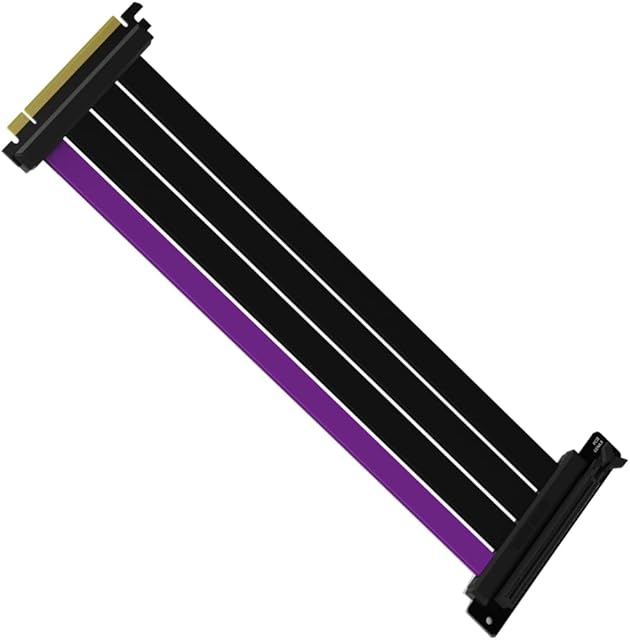
![EZDIY-FAB [20cm] PCIE 3.0 16x Extreme High Speed Riser Cable PCI Express Port GPU Extension Card-Right Angle Connector](https://m.media-amazon.com/images/I/71qm6kKYWIL._AC_SL640_.jpg)


Explore other categories
Other products from Cables:


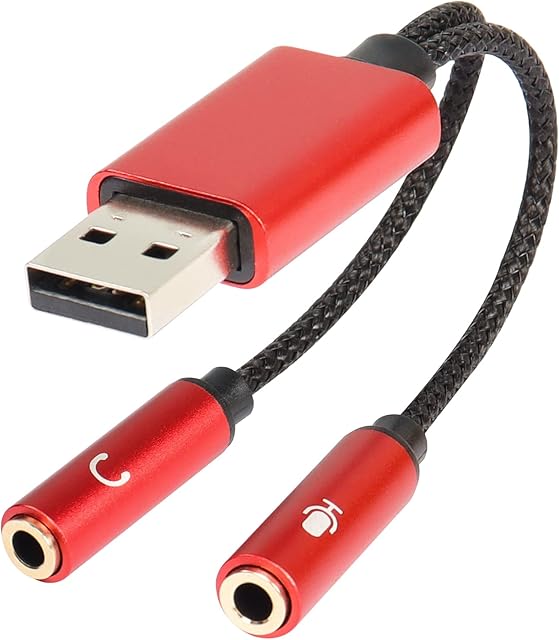

![LINKUP - Ultra PCIe 4.0 X16 Riser Cable [RTX4090 RX6950XT x570 B550 Z690 Tested] Shielded Extreme High-Speed Vertical Mount Gaming PCI Express Gen4Straight Socket (20cm) Gen 3.0 TT CompatibleWhite](https://m.media-amazon.com/images/I/31i94FV8rYL._AC_SL320_.jpg)