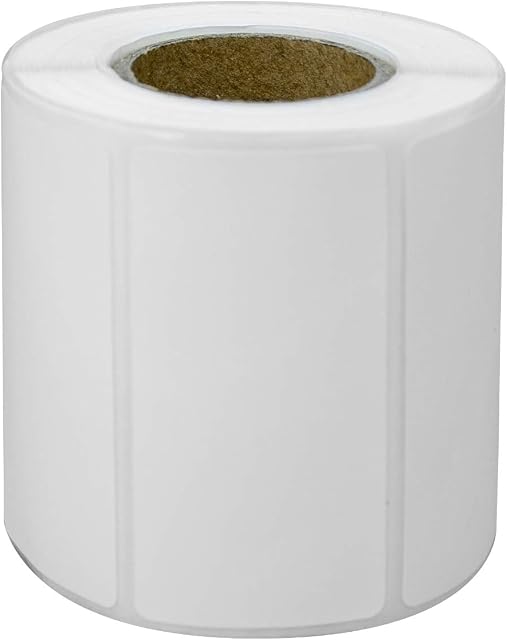
6 Pcs Self-Adhesive Printable Sticker Labels, Direct Thermal Labels for PeriPage A6 Pocket Thermal Printer, PeriPage P1/P2 Mini Printer (57mm x 30mm) by Amazon.co.uk
Currently Unavailable
Description
With 6 sheets containing 6 label stickers each, this package provides ample opportunity to customize your labels to suit any need. Whether you\'re looking to create professional-looking product labels or organize your office supplies, these Dafuhao printer labels have got you covered.
Key Features:
1. Compatibility: Engineered specifically for use with PeriPage A6 pocket thermal printers, these labels guarantee effortless integration and top performance.
2. White Color: The white color of these self-adhesive printable sticker labels is a versatile option that allows you to create eye-catching designs on various backgrounds.
3. Smooth Paper Finish: Each label boasts a smooth paper finish, which adds an air of sophistication and ensures that your prints look professional and polished.
4. A6 Sheet Size: The A6 sheet size is compact yet spacious, making these labels ideal for use in various settings, from small office spaces to at-home crafting projects.
5. 6 Pcs per Pack: With 6 sheets of 6 label stickers each, this pack provides ample opportunity to personalize your labels and meet all your labelling needs.
How to Use:
To use these self-adhesive printable sticker labels with your PeriPage A6 pocket thermal printer, follow these simple steps:
1. Prepare your PeriPage A6 pocket thermal printer by ensuring it is powered on and ready for printing.
2. Load a fresh, unused A6 sheet into the paper tray of your printer.
3. Open the software application that accompanies your printer, which will typically be available for download from the manufacturer\'s website.
4. Design or select the label template you wish to print onto the A6 sheet. Make sure to take advantage of the A6 sheet size to maximize the number of labels per sheet.
5. Adjust any necessary settings within your printer software, such as label format, orientation, and text alignment.
6. Send the label template to your printer for printing. The PeriPage A6 pocket thermal printer will automatically print each self-adhesive printable sticker label on the sheet.
7. Once printed, carefully remove each label sticker from the paper by gently peeling it away from the rest of the sheet.
8. Apply the labels to their respective surfaces, ensuring proper alignment and placement.
Dafuhao\'s 6 Pcs Self-Adhesive Printable Sticker Labels are an ideal solution for all your labelling needs with PeriPage A6 pocket thermal printers. These white direct thermal labels boast a smooth paper finish and offer ample opportunity to personalize your labels, ensuring professional-looking results every time. Don\'t hesitate to add these high-quality label stickers to your cart today and enjoy effortless labelling with your PeriPage A6 printer!
Product information
- Brand:Dafuhao
- Colour:White
- Paper finish:Smooth
- Sheet size:A6
- Sheet count:6
Related products to 6 Pcs Self-Adhesive Printable Sticker Labels, Direct Thermal Labels for PeriPage A6 Pocket Thermal Printer, PeriPage P1/P2 Mini Printer (57mm x 30mm):



Explore other categories
Other products from Printer Labels: