


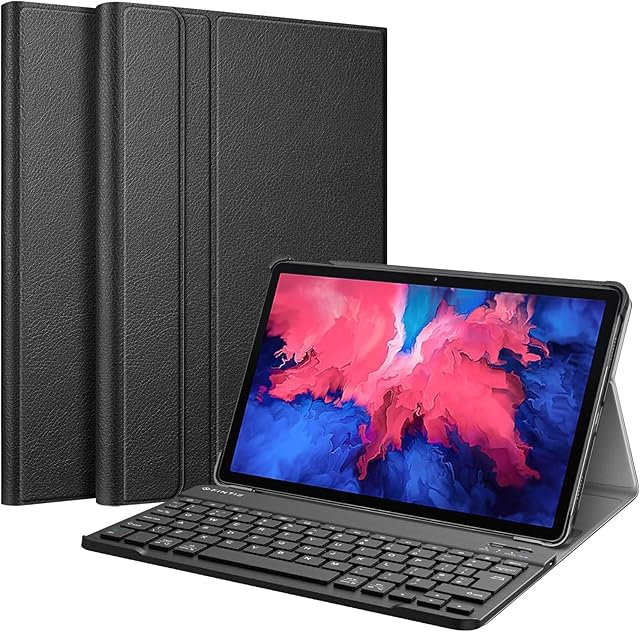
Keyboard Case for Lenovo Tab P11 (TB-J606F / TB-J606X) and Tab P11 Plus (TB-J616F),Magnetic Detachable Round Keycaps Keyboard Case without Pencil Holder,Teal by Amazon.co.uk
- • \U0001f31f\u3010Designed For\u3011This keyboard case is compatible with 2021 Released 11-inch Lenovo Tab P11 Plus (TB-J616F) / 2020 Released Lenovo Tab P11 tablet(Model: TB-J606F TB-J606X) ONLY; Not compatible with any other devices
- • \U0001f31f\u3010Excellent color & feel \u3011Round keys make your keyboard is more beautiful. Nomatter in School, business , home and other places,this keyboard case can offer great feeling
- • \U0001f31f\u3010Removable Keyboard\u3011 Detachable Bluetooth keyboard transforms your iPad into a laptop in less than a second. you can detachable this adorable keyboard anytime. this sturdy and durable Keyboard can compatible with 3 different systems-Android/android/Windows.
- • \U0001f31f \u3010Soft smooth material \u3011this flip cover is made of soft TPU and smooth leather, it is waterproof in dairly life.It's very compact and lightweight, There is a soft TPU inner case to protect your device from drops and scratches
- • \U0001f31f \u3010Long Life Battery\u3011Battery life works pretty, Built-in premium Li-ion battery with energy-saving mode, 2-3 hours full charge, work for at least 80 hours.
Compare Keyboard Case for Lenovo Tab P11 (TB-J606F / TB-J606X) and Tab P11 Plus (TB-J616F),Magnetic Detachable Round Keycaps Keyboard Case without Pencil Holder,Teal with other products:



Description
Product information
- Brand:QIYIBOCASE
- Compatible devices:Laptop, Tablet
- Connectivity technology:Bluetooth
- Special feature:Wireless, Slim Fit, Travel, Kickstand, Round Keycaps
- Colour:Teal
- Included components:USB Cable
- Number of buttons:78
- Package Dimensions:27.4 x 20.4 x 2.7 cm; 600 Grams
- Batteries:1 Lithium Ion batteries required. (included)
- Manufacturer:CHENG
- Color:Teal
- Are Batteries Included:Yes
- Lithium Battery Energy Content:1.03 Watt Hours
- Lithium Battery Packaging:Batteries packed with equipment
- Lithium Battery Weight:1.3 Grams
- Number Of Lithium Ion Cells:1
- Item Weight:600 g
Related products to Keyboard Case for Lenovo Tab P11 (TB-J606F / TB-J606X) and Tab P11 Plus (TB-J616F),Magnetic Detachable Round Keycaps Keyboard Case without Pencil Holder,Teal:


Explore other categories
Other products from Keyboards:


