


2 in 1 Network Cable Tester & Digital Multimeter, Riiai Ethernet Network Tracker with POE NCV Voltage Continuity Diode Test Temperature Length Measure, Double Flashlight, Audio Tone, for CAT5 CAT6 by Amazon.co.uk
Description
Why Choose APROTII Network Cable Tester
Multimeter Function:
This function includes direct current and AC voltage and current measurement, resistance, continuity, diode, temperature measurement.
Quick Cable Fault Location:
The cable tracing function can quickly and efficiently find the target cable in large number of cables.
Cable Length Test: T
his function can apply to different metal cables with at least 2 cores including network cables, telephone lines and BNC cables. Its length measurement can reach up to 500M/1640ft.
POE Test & Port Flashing: P
OE testing can check cable mapping polarity and voltage of POE network switches. Quickly locate the network ports by flashing the network light (blinks every 2 seconds) on hubs and switches.
Double Flashlights:
The sender of this line finder adopts a large LCD display screen to give you a better experience and the flashlight(Main machine and the receiver) allows you to turn it on when the light is low.
Kindly Note:
When testing POE products, our network tester tests POE voltages directly and classifies them, displaying them as 12v, 24V, 48V levels according to POE specifications, as well as showing the polarity of the line serial number of the supply line. If the POE device needs to communicate before the voltage is supplied, the product cannot test the possible POE output results. POE measurement and POE port flashing are two interfaces. Please make sure you have chosen the right measure method.
3 Modes Scanning
The network cable tester is newly designed to offer three modes for options to track cable, such as digital scanning mode, analog mode and POE mode all in one network toner and probe.
POE Testing
It can test standard and non-standard POE device and can also test POE voltage, power supply polarity, and power supply mode.
Length Measurement
Apply to different metal cables with at least 2 cores including network cables, telephone lines and BNC cables, up to 500M/1640 ft.
Adjustabel Sound Volume
With audio tone, when receiving signal is strong, you can turn down the sound level by adjusting the rotate knob. Instead, you can raise the sound level when receiving signal is weak.
Double Flashlight
Not like other line trackers, our main machine and the receiver both are with flashlight lamps, when you don't need the lamps, just turn them off to save energy. More bright to use.
Packing List
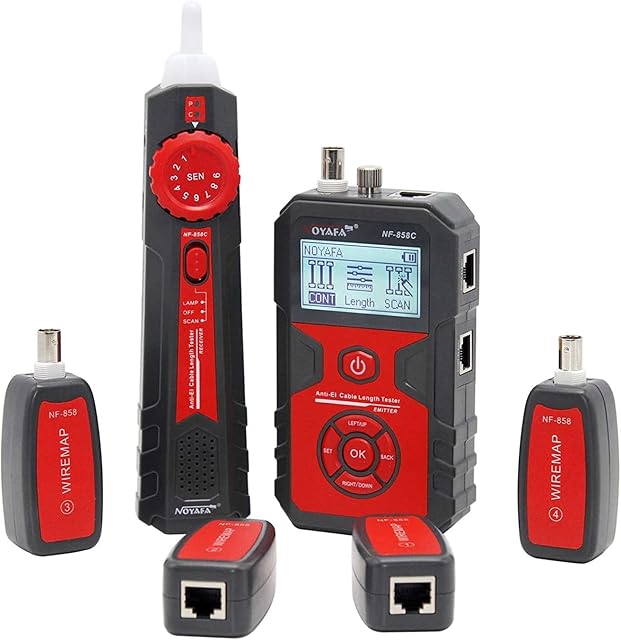
1*Host
1*Storage Bag
1*Receiver
1*User Manual
1*Testing Clip Line
1*Network Cable
1*Recharging Line
1*Temperature Probes
1*Multimeter Probes
Material
High-quality ABS
Network Cable Length Measure
500M/1640FT
Power Supply
Host: built-in 1250mAh (included) battery Receiver: 1* 9V battery
Direct current voltage
400mV~1000V±(0.8%+3)
AC Voltage
4V~400V±(1.5%+5)
Direct current current
1.0A~10.0A±(1.2%+4)
AC Current
1.0A ~10.0A±(2.0%+5)
Resistance
200Ω ~20MΩ±(2%+6)
Continuity
< 50Ω buzzers beeps
Temperature(k type)
-20~1000°C±(2.0%+15)
How to Calibrate Cable Length Measurement and Temperature Measurement?
*LENGTH CALIBRATION: Due to the conductivity difference of cable made by different materials the measuring results may not be accurate. To solve the issues this product allow users to calibrate it.
1)After switching on the product connect a cable with known length to the LENGTH jack on the Main Body At the cable length measuring mode pressing UP and DOWN buttons together for 3 seconds. The product will be ready at the user calibrating mode. The measuring result will be flashing. User can press UP or DOWN buttons to adjust the measuring result until the displaying value is the same as the actual cable length. Then press DOWN and MODE button together to save the calibrating result and leave the user calibrating mode. Press any other buttons will leave the user calibrating mode without saving the result.
2)After switching on the product pressing UP and MODE button together to reset the product to the factory setting.
3)The known length cable for using on calibration should have at least 5M long.
*TEMERATURE CALIBRATION: The measuring result may be affected by the temperature difference between the environment and product inside. To solve the issue the product have temperature calibration mode. Following is the calibrating method.
1) After switching on the product select the measuring mode pressing the UP and DOWN buttons together for 3 seconds The product will be ready at the temperature calibrating mode. The measuring result will be flashing. User can press the UP or DOWN buttons to adjust the measuring result until the displaying value is the same as the actual cable length. Then press the DOWN and MODE button together to save the calibrating result and leave the user calibrating mode. Pressing any other buttons will leave the user in calibrating mode without saving the result.
2) After switching on the product, press the UP and MODE button together to reset the product to the factory setting.
3) During temperature calibrating please refer to the mercury thermometer with resolution at 0.1.
FAQ
Q1: Why the network tester doesn't measure the cable length correctly?
Answer:
The factory defaults to a common standard wire. Some backward areas use poorer copper-clad wire, while some demanding areas use good gigabit wire. Therefore, it is possible that the standard wire is not used when the measurement is not accurate. You can self-calibrate to ensure accurate measurements. The calibration method is described in the manual. And the calibration method is written above.
Q2: Why the POE sensor doesnt show anything when I plug into my POE switches but the switch side port light?
Answer:
For POE measurement, please do not choose the switch light port blinking function, please choose the function that doesn't blink.
Q3: Why it can't turn off the light, it stays on until it runs out of battery?
Answer:
The light can be turned on/off by the light switch, just press the button to control it.
Q4: How should the users calibrate the cable length/temperature measurement?
Answer:
The cable length calibration method and temperature calibration method is described in the manual. Please read the user manual before the use. And the calibration method is written above.
Product information
- Brand:Riiai
- Power source:Battery Powered
- Style:2 in 1 Network Cable Tester
- Colour:2 in 1 Network Cable Tester
- Measurement type:Multimeter
- Manufacturer:Riiai
- Part number:Riiai-CT03
- Item Weight:635 g
- Package Dimensions:21.7 x 15.7 x 5.2 cm; 635 Grams
- Manufacturer reference:Riiai-CT03
- Size:2 in 1 Network Cable Tester
- Power source type:Battery Powered
- Measurement Accuracy:1
- Included components:Cable safety detector
- Batteries included?:No
- Batteries Required?:No
Related products to 2 in 1 Network Cable Tester & Digital Multimeter, Riiai Ethernet Network Tracker with POE NCV Voltage Continuity Diode Test Temperature Length Measure, Double Flashlight, Audio Tone, for CAT5 CAT6:



Explore other categories
Other products from Multi Testers:


