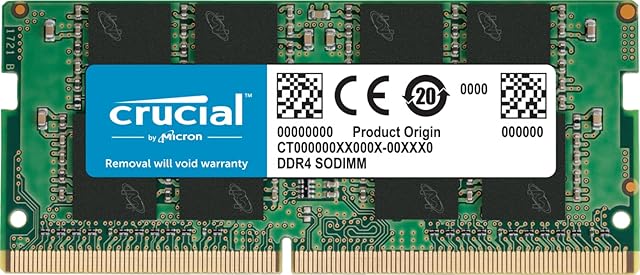
Crucial RAM 32GB DDR4 3200MHz CL22 (or 2933MHz or 2666MHz) Desktop Memory CT32G4DFD832A by Amazon.co.uk
Price last update: 12/05/2025
- • 3200MHz RAM can downclock to 2933MHz or 2666MHz if system specification only supports 2933MHz or 2666MHz
- • Improve your system's responsiveness, run apps faster and multitask with ease
- • Install with ease; no computer skills required. How-to guides available at Crucial
- • Micron quality and reliability is backed by superior component and module level testing and 42 years of memory expertise
- • ECC Type=Non-ECC, Form Factor=UDIMM, Pin Count=288-pin, PC Speed=PC4-25600, Voltage=1.2V, Rank and Configuration=2Rx8
Compare Crucial RAM 32GB DDR4 3200MHz CL22 (or 2933MHz or 2666MHz) Desktop Memory CT32G4DFD832A with other products:


Description
There’s an easy cure for a slow computer: more memory. Designed to help your system run faster and smoother, Crucial Desktop Memory is one of the easiest and most affordable ways to improve your system’s performance. Load programs faster. Increase responsiveness. Run data-intensive applications with ease, and increase your desktop’s multitasking capabilities.
| | | | ||||||
|---|---|---|---|---|---|---|---|---|
| Make everything on your computer faster Memory is a component in your computer that enables short-term data access, which your computer relies on for moment-to-moment operations, such as loading apps, browsing the web, or editing a spreadsheet. Installing more memory in a slow PC is the easiest way to improve system performance quickly. | Multitask with ease If you’re like us, you use your computer to do lots of things at once. You might be editing a document while also looking at pictures and browsing the internet. This naturally leads to a performance problem: every app you’re running requires memory and competes for a limited pool of resources. Overcome this by installing high-density modules in each memory slot on your desktop for seamless multitasking. | Install with ease – no computer skills required With just a screwdriver, your owner’s manual, and a few minutes of time, you can install memory – no computer skills necessary. Just watch one of our three-minute install videos, and we’ll walk you step-by-step through the process. Don’t pay a computer shop to do something you can do in minutes!
|